Tuesday, 15 October 2013

How To Remove All Facebook Group Members In A Single Click

0 comments
In my last post, I posted about new feature of Facebook via which no one can remove you from Facebook group if you are the main owner or creator of that group. So at the time of testing this feature through my script which will help us to remove all members in a single click, I observed this newly launched feature of Facebook. 

 I got lot of requests from by blog visitors regarding javascript for removing all group members in a single click because removing one by one member manually is not a easy deal so at last I created one.

Now lets come to the main part of this post that how is it possible to remove all members in a single click because Facebook does not have this feature yet. In my earlier posts I posted about Top 5 Facebook Javascripts  via which you can do lot of tough task in a easy way and in a quick time so at last I thought to create javascript for removing all members in a click and I got success too.

Steps To Follow For Removing All Members In A Click.


Note : Use this trick only in Mozilla Firefox Version 20.0 else it will not work.
  • Login to Facebook and visit your group in which you are admin.
    • Now its time to bookmark script, copy below given javascript and bookmark it in Mozilla Firefox Ver 20.0.


    • Now click on Members Counting Tab.


    • After clicking on Members Counting tab, you will be redirected to list of all group members.
    • Finally click on bookmark which you created in step 2.
    • Now you can see that your members are removing automatically.
    Still some bugs are there in this script so sometimes you will receive an popup error of " This User Is Not A Member Of This Group " , that means script is already removed that member and again its trying to remove same member .

    Now whenever you see this popup error, suddenly click on Ok in " This user is not a member of this group " popup then again quickly click on Cancel in " Are you sure want to remove this member " . 


    After clicking on OK and Cancel, you can see script is again working superbly without any error. Follow the same step whenever this error comes. 

    Tip for Fast Removing Members : Open Members tab in 2-3 tabs along with different categories like Members Join By Date, Members by name and run the script in all tabs so it will remove members quickly.

    Still trying to fix this bug so you guys can use it without any error. Feel free to comment below for any type of questions regards this script. Hope you love our trick and blog. Thanks for visiting this University Of Tricks ;)


    Saturday, 14 September 2013

    How To Delete All Facebook Messages In A Single Click

    0 comments
    Here is back to back Facebook tricks just for CS Tricks visitors. As we all know that If you want to delete all message then we have to click one by one manually because Facebook does not allow to delete bulk of messages in a click. If you want to delete all Facebook messages and trying to make facebook message box to Zero then you have to do lot of hard work and if you have lot of friends then its next to impossible to delete all messages one by one.

    So after a lot of hard work of coding, I successfully created a script which will help you to delete millions of messages in a single click. 

    So Follow Below steps correctly and use this script only in Google Chrome or Mozilla Firefox.

    How to Delete All Facebook Messages In A Click :


    • Login to Facebook .
    • You can select your choice of message for deletion, like if you want to delete only unread messages then click on More just above Messages option and select unread. Follow below image for demo ??

    • Now here comes the main part of i.e task of javascript. for using this script, you have to bookmark it .
    • Now drag and drop below image in your bookmark bar. If your bookmark is not visible then press CTRL+SHIFT+B in chrome to make it visible and then drag below image.


    Delete Facebook Messages

    • Now your all task is done, just click on bookmark which you have just created.
    • Bravo !! You have successfully deleted your all messages in a click.
    Note : Use this trick after thinking twice because you will not get back your deleted facebook messages.


    Sunday, 8 September 2013

    How To Unlike All Facebook Pages In A Single Click

    0 comments
    After getting lot of requests in email and in my facebook id from my site visitors regarding unliking all facebook pages trick in a single click, here I am back with working trick which will help you to unlike all your facebook pages in a single click without wasting your valuable time. This script is fully spam free and its personally coded by me so you all can use it freely without worrying about hacking and phising attacks.

    This script is totally based upon iMacro extension and you must have to use this extension for getting success . If you are not familiar with this extension or you don't have iMacro in your computer then download it from below link.


    Download Now
    Firefox Extn.
    By ~ Ravi ~


    Steps To Use For Unliking All Pages In A Single Click :

    • After successful installation of iMacros extension download script from below link.

    Download Now
    Script
    By ~ Ravi ~

    Password : cstricks
    • After downloading script, copy and paste it in iMacros folder  ( Ex: C:\users\select your user\MyDocument\iMacros\Macros )
    • Now login to facebook and click on iMacro extension. 
    • Now you can see that script which you pasted in 2nd step, just select it and run the loop by clicking play. Follow below image for demo look.

    Now your task is fully completed, just sit and see the magic on unlike :D

    Must Read : How To Leave All Facebook Groups In A Single Click .


    Please Recommend Us On Google     


    Monday, 26 August 2013

    How To Leave All Facebook Groups In A Single Click

    0 comments
    Hello To All, Once again its a task of javascript. As we all know scripts are one of the main weapon which will helps us to do lot of tough works in a easy way. This post is all about facebook Groups through which you can leave 100's of facebook Groups in a single click. This javascript will save your previous time because leaving maximum numbers of groups manually is not a easy deal. 

    So Follow below steps  carefully and enjoy Javascript-ing.

    How To Use :

    1) First of all goto all groups by clicking Here .

    2) Copy below given javascript ??


    3) Bookmark that javascript and finally goto all groups section and click on bookmark.

    ?? Note : Above Javascript Will Only Work In Mozilla Firefox Ver 20 ??


    Must Read : Top 5 Facebook Javascripts 


    Please Recommend Us On Google     


    Sunday, 28 July 2013

    Post In Multiple Groups On Facebook In A Single Click

    0 comments
    Now blog is full of Facebook tricks and Javascripts. Scripts are one of the main weapon to  complete tough tasks in a quick time . After Adding all friend in group and suggesting all friends for page likes javascript, here is another script for multiposting in all group which will allow you to post in all group in a single click and it will save your lot of precious time.

    Nowadays most of the facebook multiposter are blocked by facebook but this script is working superbly with high speed without any hacking or spamming chances. Trick is personally coded by me so you can use it freely.

    Download below given javascript and Bookmark it then finally goto Homepage and click it and wait for a minute.


    Password : cstricks

    ?? Note : Above Javascript Will Only Work In Mozilla Firefox Ver 20 ??

    Must Read : Top 10 Free Mobile Recharge & Online Earning Websites 


    Please Recommend Us On Google     

    Monday, 22 July 2013

    How To Accept Or Reject Multiple Friend Request On Facebook

    0 comments
    Hello CS Tricks Lovers !! Here I am back with another Facebook Javascript which allows you to accept or reject multiple friend requests. Nowadays Facebook is growing and friend list of per users are also increasing like anything. Most of the users are love to increase their friend while most are not. So this javascript is useful for both users who wanna accept all or reject.

    I am sure you all will love these scripts after using. Use it and save your valuable time ;)

    Steps To Follow :


    • At first, login your Facebook account.
    • Follow this Link to view your pending friend requests.
    • Now your task is to run javascript, copy below given javascript and bookmark it.


    Javascript For Accept All Friend Request :


    Javascript For Reject All Friend Request :


    For More Facebook Javascripts : Click Here .


    Please Recommend Us On Google     


    Thursday, 20 June 2013

    Top 5 Facebook Javascripts [[ ADD ALL FRIENDS IN GROUP, SUGGEST ALL FRIEND, INVITE ALL FRIENDS TO LIKE YOUR PAGE, AND MORE.... ]]

    0 comments
    Facebook is getting popular day by day so I am posting facebook tricks in regular intervals. Nowadays everyone is looking for short cut way of doing everything like they want to add all friends in a single click. So I am back with top 5 facebook shortcut trick using javascript which allows you to do lot of things in a quick way. Thanks to my friend Waqar Ahmad who guided me for these useful scripts.


    ?? Top  Javascripts Are ??

    1) Add all friends in a group.

    2) Suggest all friends .


    3) Invite All Friends To Like Your Page.

    4) Post to Multiple Groups in a single click.


    ?? Note : Below Given Javascripts Are Only Work In Mozilla Firefox Ver 20 ??


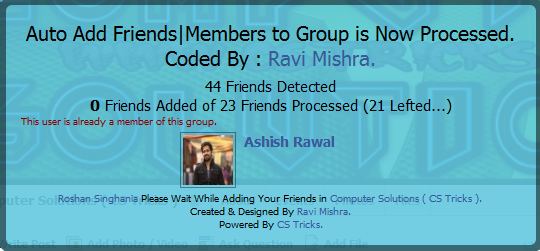
    Download Javascript from below link and Bookmark it , now goto that group where you want to add your all friends and finally click on that bookmark which you created and wait for a minute.


    Download javascript from below link and bookmark the javascript, finally goto that friend wall whom you want to suggest and click on that bookmark which you created.


    Password : cstricks


    Download javascript from below link and bookmark it, now goto that page where you want to invite your all friends for like and finally click on bookmark which you added.


    Password : cstricks


    Download Javascript from below link and Bookmark it  , then goto home page and click on that bookmark, after clicking just wait for few minutes and write your message then finally click on POST.


    Please Recommend Us On Google